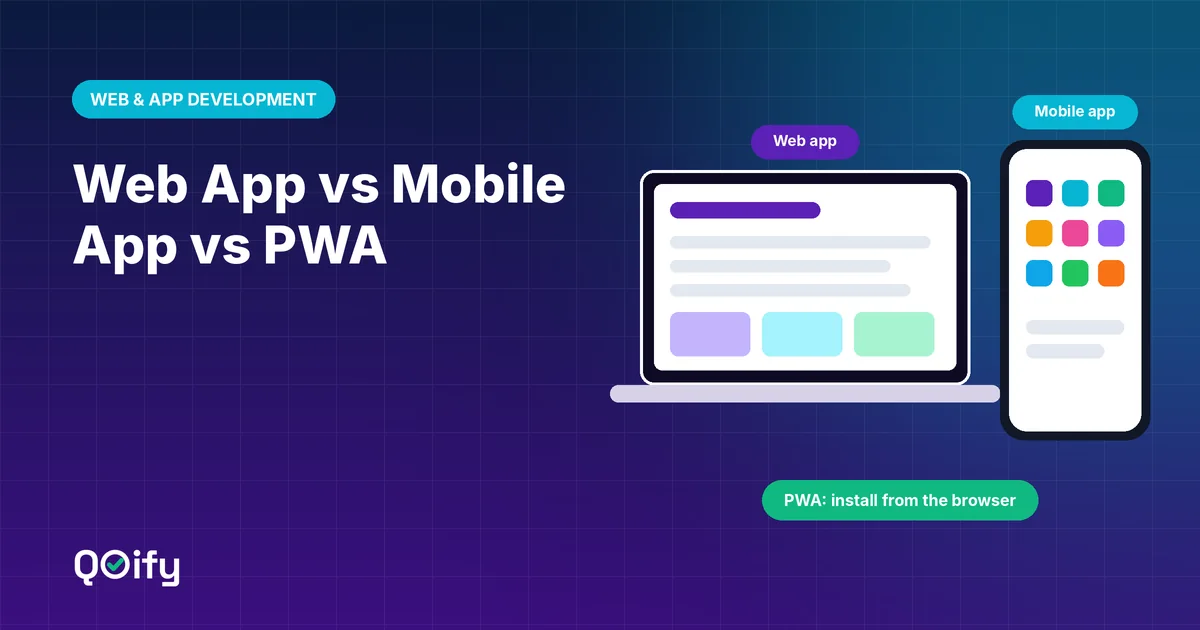
Short answer: build a responsive web app if your users mainly work at a desk or you need to launch quickly on every device with one codebase. Build a mobile app when your users need device features such as the camera, GPS, offline use or push notifications every day, or when an app-store presence matters to them. A progressive web app (PWA) sits in between: one web codebase that can be installed on a phone and work partly offline.
Choosing the wrong platform can double your costs or slow adoption. This guide explains the three options, compares them side by side, and gives you a simple way to decide.
The three options at a glance
| Responsive web app | Progressive web app (PWA) | Mobile app (native or cross-platform) | |
|---|---|---|---|
| How users get it | Open a link in any browser | Open a link, optionally "Add to home screen" | Download from the App Store or Google Play |
| Codebases | One | One | One (cross-platform) or two (native iOS + Android) |
| Works offline | No | Partly, with caching | Yes |
| Device features | Basic (camera upload, location) | More, but limited on iOS | Full access |
| Push notifications | E-mail or SMS instead | Supported on modern browsers, with limits | Full support |
| Updates | Instant for everyone | Instant for everyone | Through app-store releases |
| Found through search (SEO) | Yes | Yes | App-store search instead |
| Typical cost and time | Lowest | Low to medium | Highest |
Responsive web apps
A responsive web app runs in the browser and adapts its layout to desktops, tablets and phones. Customer portals, dashboards, booking systems, CRMs and most business software start here.
Strengths
- One codebase for every device, so lower build and maintenance costs
- No app-store approval: release updates any time
- Pages can be indexed by search engines and shared with a link
- Easy integration with existing systems through APIs
Limitations
- Limited access to device features
- Needs an internet connection
- Users must remember a link or bookmark rather than tapping an app icon
Progressive web apps (PWAs)
A PWA is a web app with extra capabilities: it can be installed to the home screen, open in its own window, cache content to work offline or on poor connections, and on supported platforms send push notifications.
Strengths
- Feels closer to an app while keeping one web codebase
- Fast repeat visits thanks to caching
- Still discoverable through search and shareable by link
Limitations
- Capabilities vary by browser and operating system, particularly on iPhone and iPad
- Less visible to users who look for apps in the app stores
- Deep device integration (background tasks, some sensors) remains limited
Mobile apps
Mobile apps are installed from the App Store or Google Play. They can be native (Swift for iOS, Kotlin for Android) or cross-platform (one codebase with frameworks such as React Native or Flutter).
Strengths
- Full access to the camera, GPS, Bluetooth, biometrics, background tasks and notifications
- Best performance and offline experience
- An icon on the home screen and a presence in the app stores
Limitations
- Higher cost, especially with separate native apps
- App-store review for every release
- Users must download and update the app
Native or cross-platform?
For most business apps, cross-platform frameworks deliver a near-native experience for both iOS and Android from one codebase, at a lower cost. Choose fully native development when you need maximum performance, complex animations, or deep platform-specific features.
How to decide: five questions
- Where are your users? Office staff on laptops point to a web app. Field teams, drivers and consumers on the move point to mobile or a PWA.
- Which device features are essential? Daily use of the camera, GPS, offline mode or notifications favours a mobile app.
- How often will people use it? Daily-use tools justify an installed app. Occasional tasks, such as booking or paying, suit the web.
- How important is search visibility? If customers must find you on Google, the web is essential.
- What are your budget and timeline? Launching a web app first and adding mobile later is often the fastest, lowest-risk path.
A common, cost-effective path
Many successful products follow this sequence:
- Launch a responsive web app with the core workflow and a solid API.
- Add PWA features such as installability and caching once usage grows.
- Build a cross-platform mobile app on the same API when mobile-specific features or usage justify it.
Because the mobile app reuses the same backend, the second step costs far less than building everything twice.
Common mistakes
- Building separate native apps first when a web app would validate the idea faster
- Treating mobile as a small screen. Mobile journeys need their own design, not a shrunken desktop layout.
- Ignoring the backend. A clean API is what makes adding mobile apps later affordable.
- Underestimating app-store work: developer accounts, screenshots, privacy details and review time.
Conclusion
There is no universally best option, only the best fit for your users and goals. Start with how and where people will use your product, list the device features you truly need, and choose the simplest platform that delivers them. For most businesses, that means a fast, responsive web app first, with a PWA or cross-platform mobile app added when the product and users are ready.