Quick answer: FastAPI is a modern Python framework for building APIs. You declare endpoints as normal Python functions with type hints, and FastAPI uses those hints, through Pydantic, to validate requests, convert data, generate interactive documentation at /docs and produce an OpenAPI schema automatically. It supports async code, dependency injection and high performance, which makes it a popular choice for REST APIs, microservices and AI and machine-learning backends.
This guide takes you from "Hello, World" to a structured, tested, deployable API, with examples you can copy.
Why FastAPI?
| Feature | What it gives you |
|---|---|
| Type hints drive everything | Validation, conversion, editor auto-complete and docs from one definition |
| Automatic docs | Swagger UI at /docs and ReDoc at /redoc, always in sync with the code |
| Pydantic models | Clear request and response schemas with helpful error messages |
| Async support | Handle many concurrent requests for I/O-heavy work |
| Dependency injection | Clean reuse of database sessions, auth and settings |
| Standards-based | OpenAPI and JSON Schema, so clients can be generated automatically |
Installation and first app
python3 -m venv .venv && source .venv/bin/activate
pip install "fastapi[standard]"
# main.py
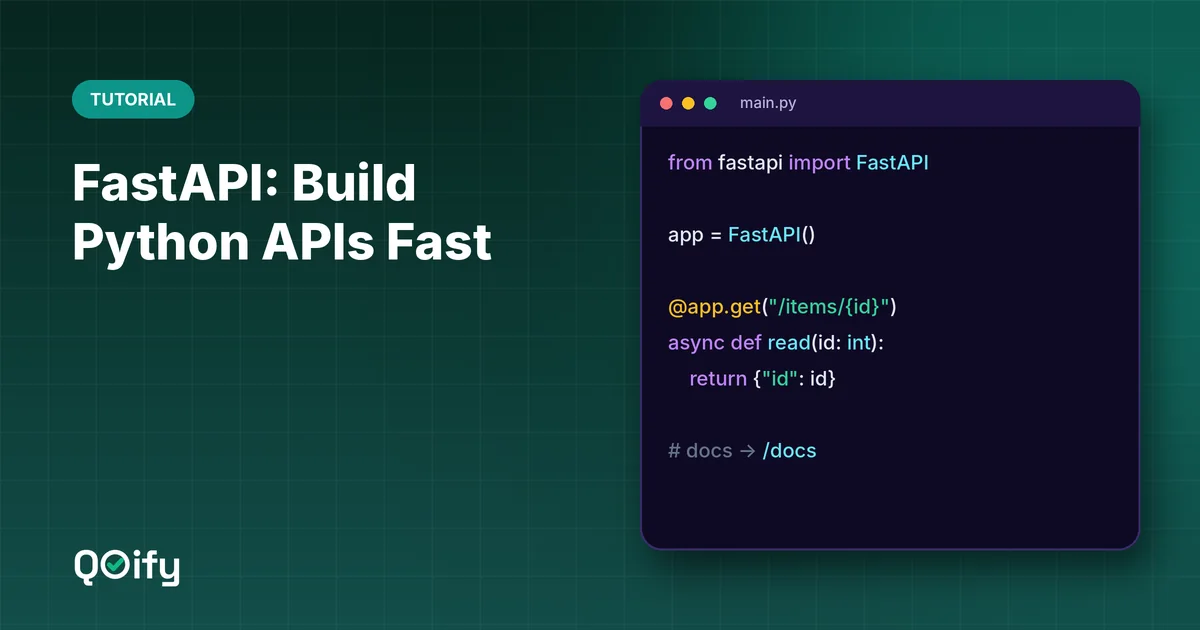
from fastapi import FastAPI

app = FastAPI(title="QOify Demo API", version="1.0.0")

@app.get("/")
def read_root():
    return {"message": "Hello, FastAPI"}
fastapi dev main.py # development server with auto-reload
Open http://127.0.0.1:8000 for the response and http://127.0.0.1:8000/docs for interactive documentation where you can try every endpoint.
Path and query parameters
@app.get("/items/{item_id}")
def read_item(item_id: int, q: str | None = None, limit: int = 10):
    return {"item_id": item_id, "q": q, "limit": limit}
GET /items/5?q=chair&limit=20→{"item_id": 5, "q": "chair", "limit": 20}GET /items/abc→ a clear422validation error, becauseitem_idmust be an integer.
Add validation rules with Path and Query:
from typing import Annotated
from fastapi import Path, Query

@app.get("/products/{product_id}")
def get_product(
    product_id: Annotated[int, Path(ge=1)],
    search: Annotated[str | None, Query(max_length=50)] = None,
):
    return {"product_id": product_id, "search": search}
Request bodies with Pydantic
from pydantic import BaseModel, Field

class ProductIn(BaseModel):
    name: str = Field(min_length=2, max_length=100)
    price: float = Field(gt=0)
    tags: list[str] = []

class ProductOut(ProductIn):
    id: int

products: dict[int, ProductOut] = {}

@app.post("/products", response_model=ProductOut, status_code=201)
def create_product(product: ProductIn):
    new_id = len(products) + 1
    saved = ProductOut(id=new_id, **product.model_dump())
    products[new_id] = saved
    return saved
FastAPI reads the JSON body, validates it against ProductIn, and returns only the fields in ProductOut. A response_model is also the safest way to make sure internal fields, such as password hashes, never leak into responses.
Errors and status codes
from fastapi import HTTPException, status

@app.get("/products/{product_id}", response_model=ProductOut)
def read_product(product_id: int):
    product = products.get(product_id)
    if product is None:
        raise HTTPException(status_code=status.HTTP_404_NOT_FOUND, detail="Product not found")
    return product

@app.delete("/products/{product_id}", status_code=status.HTTP_204_NO_CONTENT)
def delete_product(product_id: int):
    products.pop(product_id, None)
Dependency injection
Dependencies are functions that FastAPI runs before your endpoint and passes in as arguments. Use them for shared logic such as pagination, settings, database sessions and authentication.
from fastapi import Depends

def pagination(skip: int = 0, limit: Annotated[int, Query(le=100)] = 20):
    return {"skip": skip, "limit": limit}

Pagination = Annotated[dict, Depends(pagination)]

@app.get("/orders")
def list_orders(page: Pagination):
    return {"page": page, "orders": []}
Settings from environment variables
pip install pydantic-settings
from functools import lru_cache
from pydantic_settings import BaseSettings, SettingsConfigDict

class Settings(BaseSettings):
    database_url: str = "sqlite:///./app.db"
    jwt_secret: str
    model_config = SettingsConfigDict(env_file=".env")

@lru_cache
def get_settings() -> Settings:
    return Settings()
Database with SQLModel
SQLModel (by the author of FastAPI) combines SQLAlchemy and Pydantic, so one class can define a table and a schema.
pip install sqlmodel
from sqlmodel import Field, Session, SQLModel, create_engine, select

class Customer(SQLModel, table=True):
    id: int | None = Field(default=None, primary_key=True)
    name: str
    email: str = Field(index=True, unique=True)

engine = create_engine("sqlite:///./app.db")
SQLModel.metadata.create_all(engine)

def get_session():
    with Session(engine) as session:
        yield session

SessionDep = Annotated[Session, Depends(get_session)]

@app.post("/customers", response_model=Customer)
def create_customer(customer: Customer, session: SessionDep):
    session.add(customer)
    session.commit()
    session.refresh(customer)
    return customer

@app.get("/customers", response_model=list[Customer])
def list_customers(session: SessionDep, limit: int = 20):
    return session.exec(select(Customer).limit(limit)).all()
For production, use PostgreSQL or MySQL and manage schema changes with Alembic migrations. In real projects, use separate input and output models so clients can't set fields such as id.
Authentication with OAuth2 and JWT
pip install pyjwt "pwdlib[argon2]"
from datetime import datetime, timedelta, timezone
import jwt
from fastapi.security import OAuth2PasswordBearer, OAuth2PasswordRequestForm
from pwdlib import PasswordHash

password_hash = PasswordHash.recommended()
oauth2_scheme = OAuth2PasswordBearer(tokenUrl="token")
SECRET_KEY = get_settings().jwt_secret   # never hard-code secrets
ALGORITHM = "HS256"

def create_access_token(subject: str, minutes: int = 30) -> str:
    expire = datetime.now(timezone.utc) + timedelta(minutes=minutes)
    return jwt.encode({"sub": subject, "exp": expire}, SECRET_KEY, algorithm=ALGORITHM)

@app.post("/token")
def login(form: Annotated[OAuth2PasswordRequestForm, Depends()]):
    user = find_user_by_email(form.username)          # your lookup
    if not user or not password_hash.verify(form.password, user.hashed_password):
        raise HTTPException(status_code=401, detail="Incorrect email or password")
    return {"access_token": create_access_token(user.email), "token_type": "bearer"}

def get_current_user(token: Annotated[str, Depends(oauth2_scheme)]):
    try:
        payload = jwt.decode(token, SECRET_KEY, algorithms=[ALGORITHM])
    except jwt.InvalidTokenError:
        raise HTTPException(status_code=401, detail="Invalid token",
                            headers={"WWW-Authenticate": "Bearer"})
    return find_user_by_email(payload["sub"])

CurrentUser = Annotated[dict, Depends(get_current_user)]

@app.get("/me")
def read_me(user: CurrentUser):
    return user
The Authorize button in /docs lets you log in and test protected endpoints.
Async endpoints
import httpx

@app.get("/rates")
async def get_rates():
    async with httpx.AsyncClient(timeout=10) as client:
        response = await client.get("https://api.example.com/rates")
    return response.json()
Use async def when the endpoint awaits async libraries (HTTP clients, async database drivers). Use plain def for blocking code; FastAPI runs it in a thread pool so it doesn't block the server. Never call slow blocking functions inside an async def endpoint.
Organising a larger app with routers
app/
├── main.py
├── core/config.py
├── db.py
├── models/
├── routers/
│   ├── customers.py
│   └── orders.py
└── tests/
# app/routers/customers.py
from fastapi import APIRouter

router = APIRouter(prefix="/customers", tags=["customers"])

@router.get("/")
def list_customers(): ...

# app/main.py
from fastapi import FastAPI
from app.routers import customers, orders

app = FastAPI()
app.include_router(customers.router)
app.include_router(orders.router)
CORS, background tasks and file uploads
from fastapi import BackgroundTasks, UploadFile
from fastapi.middleware.cors import CORSMiddleware

app.add_middleware(
    CORSMiddleware,
    allow_origins=["https://www.qoify.com"],   # list your front-end origins
    allow_methods=["*"],
    allow_headers=["*"],
)

def send_welcome_email(email: str): ...

@app.post("/signup")
def signup(email: str, background: BackgroundTasks):
    background.add_task(send_welcome_email, email)   # runs after the response is sent
    return {"status": "ok"}

@app.post("/upload")
async def upload(file: UploadFile):
    content = await file.read()
    return {"filename": file.filename, "size": len(content)}
For heavy or long-running jobs, use a proper task queue such as Celery or RQ instead of background tasks.
Testing
pip install pytest
# tests/test_main.py
from fastapi.testclient import TestClient
from main import app

client = TestClient(app)

def test_root():
    res = client.get("/")
    assert res.status_code == 200
    assert res.json() == {"message": "Hello, FastAPI"}

def test_create_product_validation():
    res = client.post("/products", json={"name": "A", "price": -5})
    assert res.status_code == 422
Override dependencies in tests (for example a test database) with app.dependency_overrides[get_session] = get_test_session.
Deployment
fastapi run main.py --port 8000          # production server
uvicorn main:app --host 0.0.0.0 --port 8000 --workers 4
A minimal Dockerfile:
FROM python:3.12-slim
WORKDIR /app
COPY requirements.txt .
RUN pip install --no-cache-dir -r requirements.txt
COPY . .
CMD ["fastapi", "run", "main.py", "--port", "8000"]
Production checklist:
- Run behind a reverse proxy or load balancer with HTTPS (Nginx, Caddy, or a cloud load balancer)
- Load secrets from environment variables, never from code
- Restrict CORS to your real front-end domains
- Add logging, error monitoring and health-check endpoints
- Use database migrations and connection pooling
- Automate tests and deployment with a CI/CD pipeline
Common use cases
- REST APIs for web and mobile apps
- Backends for AI features: LLM chat endpoints, retrieval-augmented generation (RAG) and model inference
- Microservices and internal tools
- Webhooks and integrations, for example WhatsApp, payment gateways and CRMs
- Data and machine-learning model serving
FastAPI vs Flask vs Django
| FastAPI | Flask | Django | |
|---|---|---|---|
| Best for | APIs, async, AI backends | Small apps, flexible APIs | Full websites with admin |
| Validation and docs | Built in | Extensions | Django REST Framework |
| Async | First-class | Partial | Supported, ecosystem mostly sync |
| Admin panel and ORM | Bring your own | Bring your own | Included |
Conclusion
FastAPI lets you build clean, well-documented APIs with very little code: type hints become validation, docs and editor support. Start with path, query and body parameters, add Pydantic models and dependencies, organise with routers, secure endpoints with OAuth2 and JWT, and ship with tests, Docker and CI/CD. It is an excellent foundation for modern web, mobile and AI backends.